FinancialsModule Guide
Payroll Processing
Automate salary calculations, tax withholdings, and payslip generation with precise ledger integration.
1
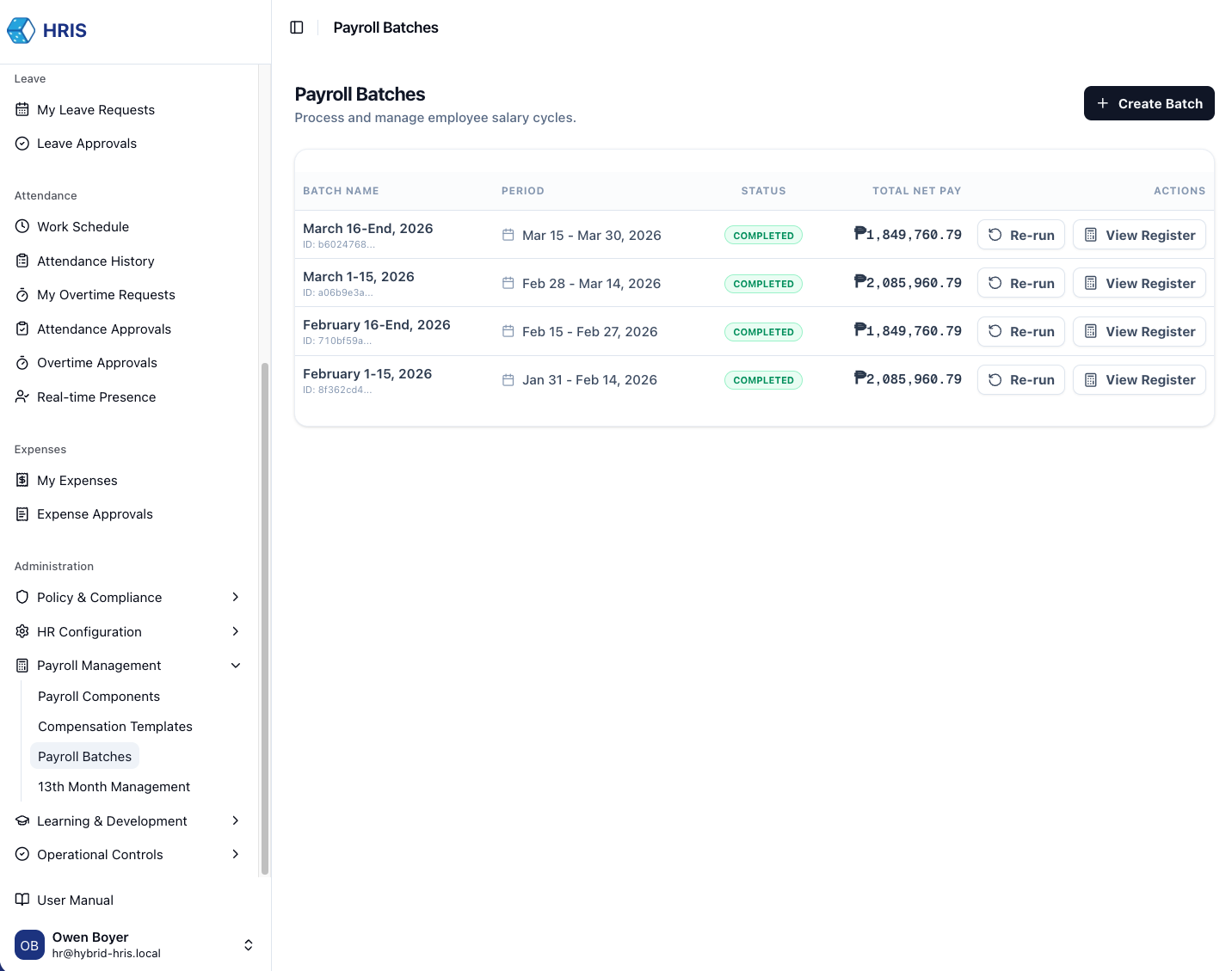
Initiate Payroll Batch
Navigate to Payroll → Batches and click Create New Batch. Select the pay period (e.g., Monthly, Semi-monthly).
2
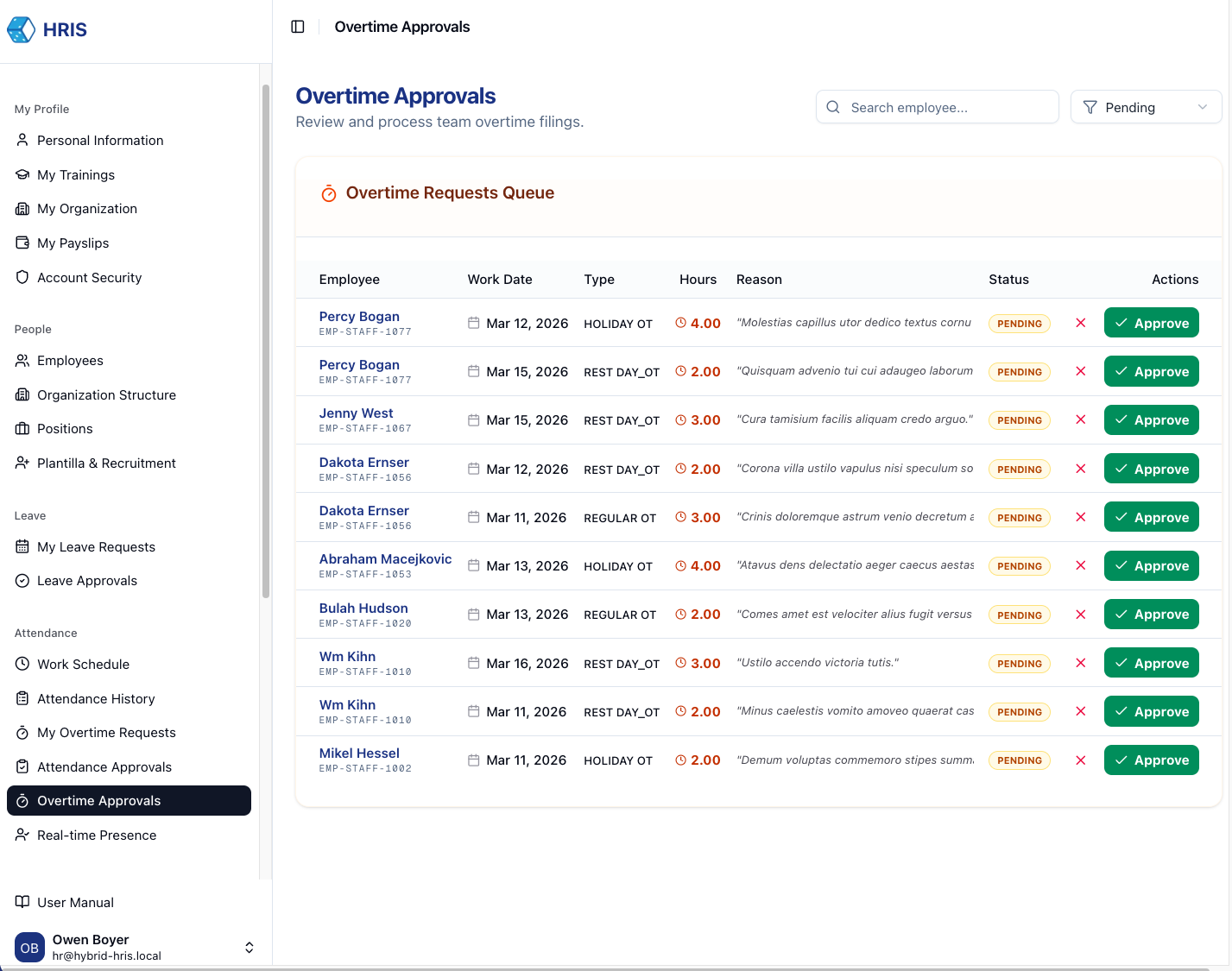
Review Adjustments & Overtime
The system automatically pulls approved attendance, overtime, and expense claims. Review individual line items for accuracy.
3
Calculate & Commit
Execute the calculation engine. Once verified, Commit the batch to freeze the data and initiate the bank transfer workflow.
Audit Log Created
Committing a batch creates a permanent record in the financial ledger, preventing any further changes to that pay period.